powerbi-llm-ai-speaker
LlmAISpeaker for Power BI
一个强大的 Power BI AI 分析视觉对象,能够通过 AI 模型智能分析数据并生成见解。
A powerful Power BI visual that provides AI-powered data analysis and insights generation.
✨ 特性 | Features
-
🤖 AI 驱动的数据分析 AI-Powered Data Analysis - 支持多种主流 AI 服务提供商(OpenAI、Moonshot 等)
- Support for multiple AI service providers (OpenAI, Moonshot, etc.)
-
📝 灵活的提示词配置 Flexible Prompt Configuration - 自定义分析提示模板
- Customizable analysis prompt templates
-
🎨 丰富的样式设置 Rich Style Settings - 自定义字体、颜色、按钮样式等
- Customize fonts, colors, button styles, etc.
-
🔄 实时分析 Real-time Analysis - 实时生成数据分析报告和建议
- Generate real-time data analysis reports and recommendations
-
🌏 本地化支持 Localization Support - 完整的中文支持
- Full Chinese language support
📈 使用示例 | Usage Examples
主界面 | Main Interface
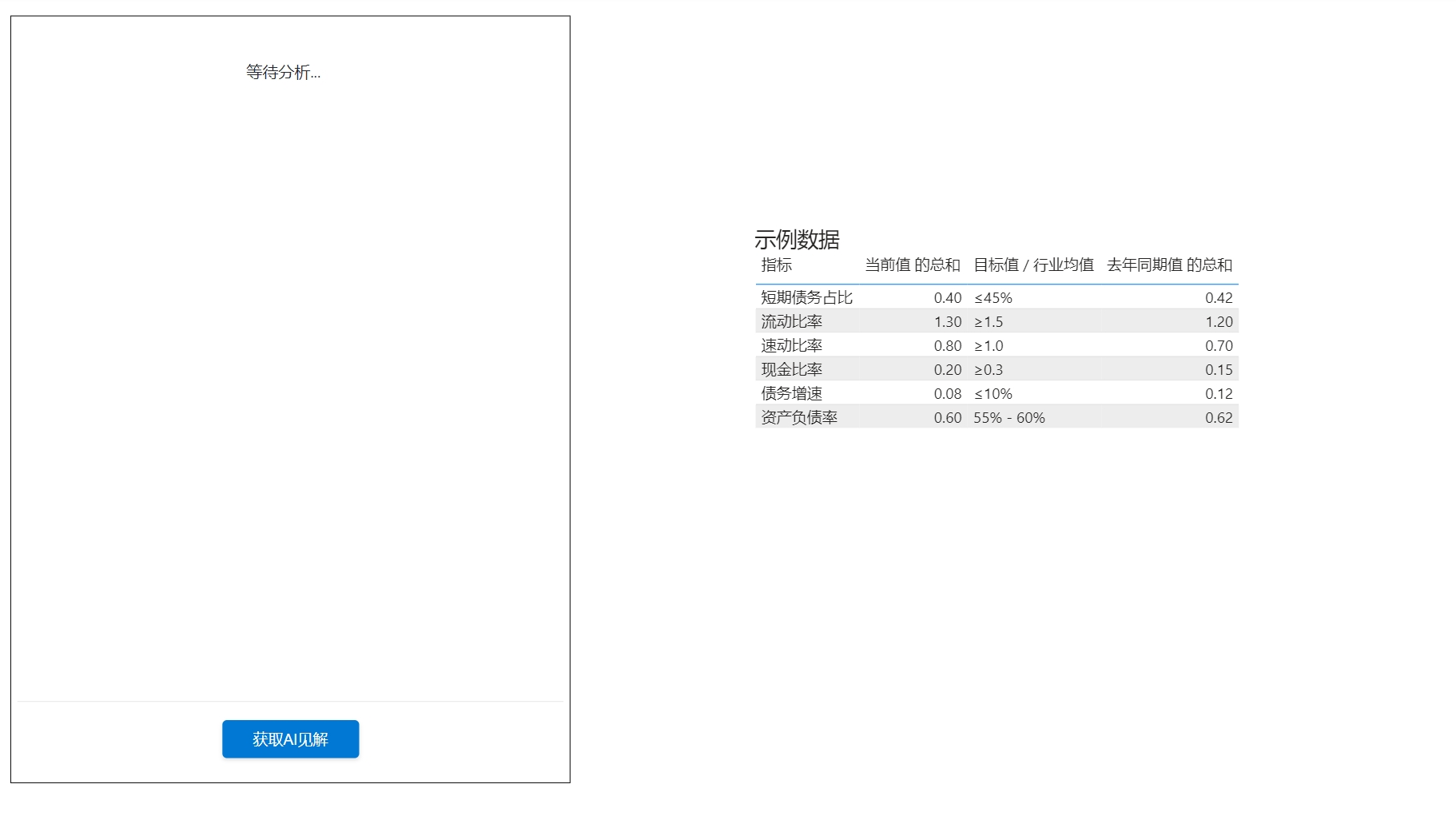
主界面展示了数据分析结果和交互按钮,简洁直观的设计让您专注于数据洞察。
The main interface shows analysis results and interaction buttons, with a clean design that lets you focus on data insights.
API 设置 | API Settings
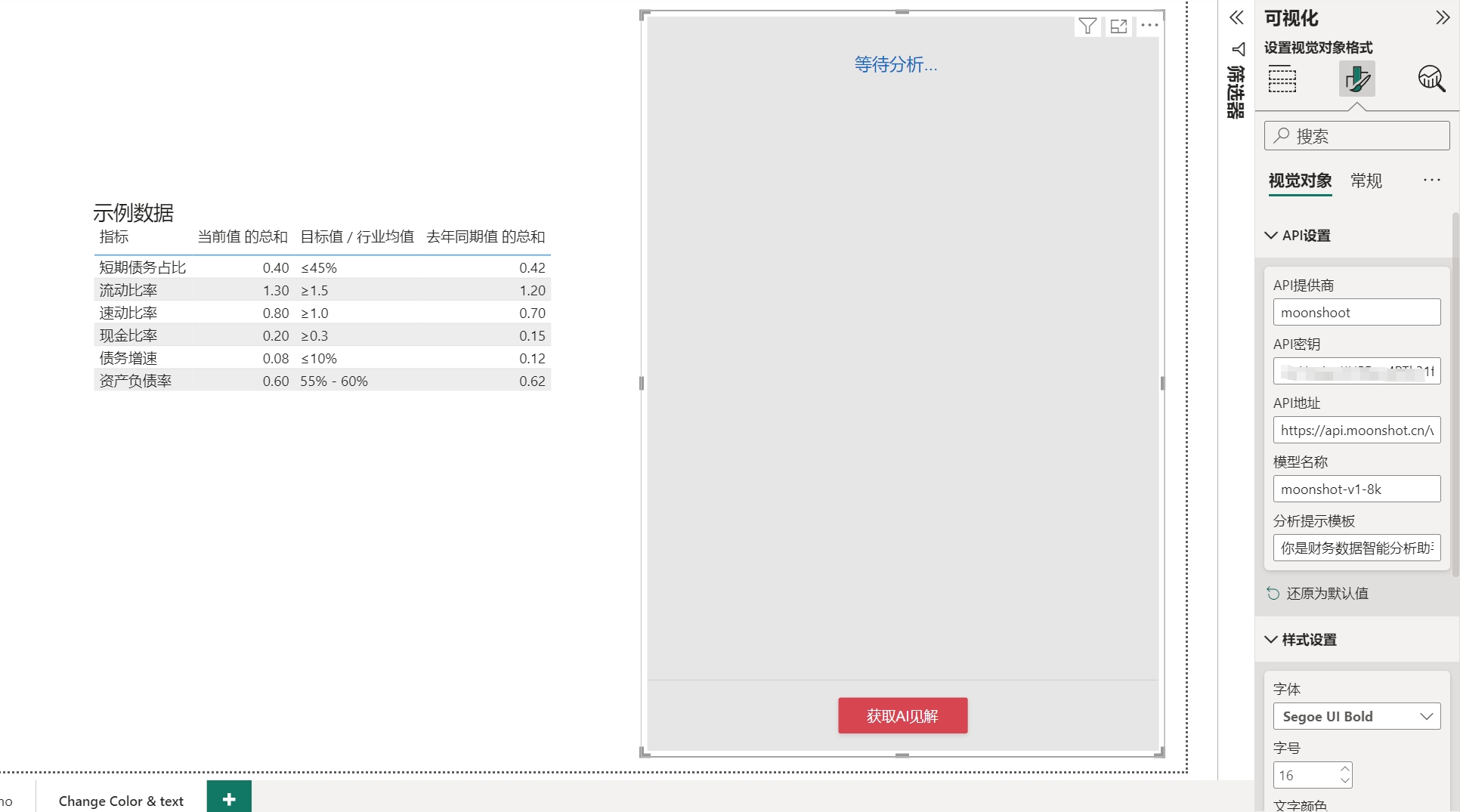
在 API 设置中,您可以:
- 选择 AI 服务提供商(OpenAI/Moonshot)
- 配置 API 密钥
- 设置自定义 API 地址
- 选择合适的模型
- 自定义分析提示模板
In API settings, you can:
- Choose AI service provider (OpenAI/Moonshot)
- Configure API key
- Set custom API endpoint
- Select appropriate model
- Customize analysis prompt template
样式设置 | Style Settings
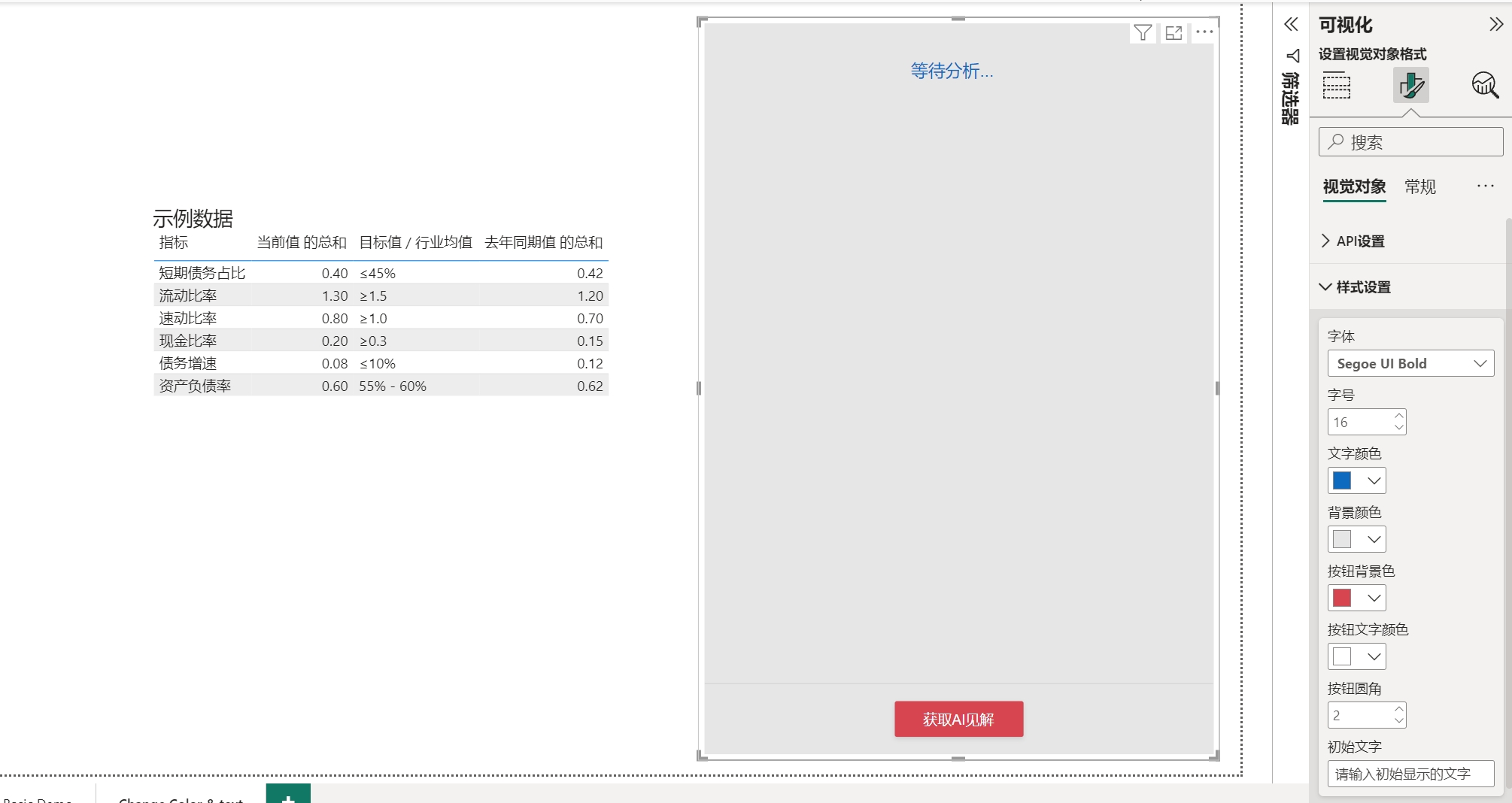
丰富的样式设置选项:
- 字体选择(支持多种中文字体)
- 颜色主题定制
- 按钮样式调整
- 界面布局优化
Rich style settings options:
- Font selection (multiple Chinese fonts supported)
- Color theme customization
- Button style adjustment
- Interface layout optimization
分析演示 | Analysis Demo
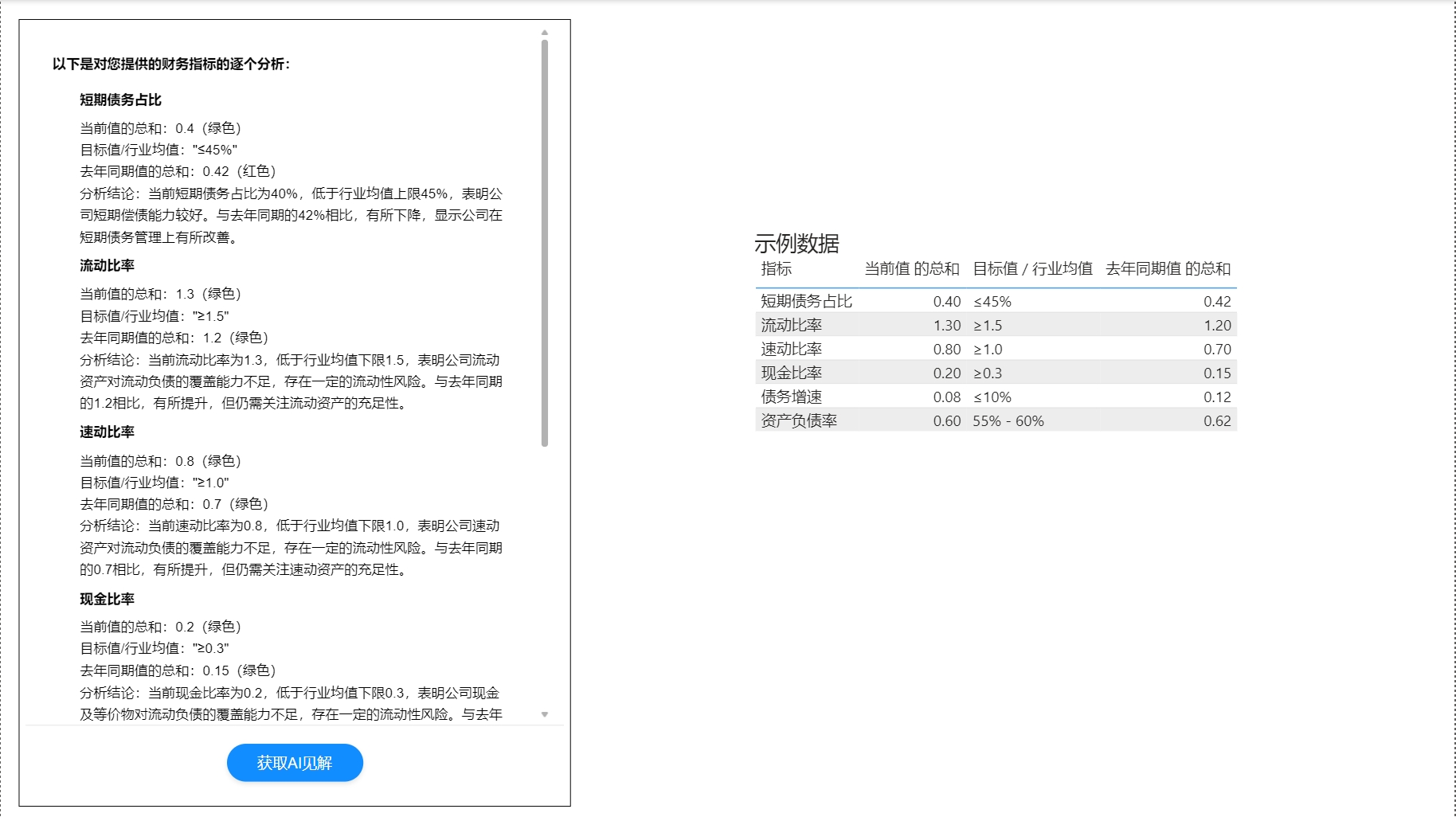
实际数据分析场景展示:
- 选择要分析的数据
- 点击分析按钮
- 获取 AI 生成的专业见解
Real data analysis scenario:
- Select data for analysis
- Click analyze button
- Get AI-generated professional insights
📦 安装 | Installation
- 下载最新版本的 .pbiviz 文件
- 在 Power BI Desktop 中导入自定义视觉对象:
- 点击”可视化”窗格中的”…”
- 选择”从文件导入视觉对象”
- 选择下载的 .pbiviz 文件
- 将视觉对象添加到您的报表中
- Download the latest .pbiviz file
- Import custom visual in Power BI Desktop:
- Click “…” in the Visualizations pane
- Choose “Import visual from file”
- Select the downloaded .pbiviz file
- Add the visual to your report
🔧 配置 | Configuration
API 设置 | API Settings
- 选择 AI 服务提供商
- 支持 OpenAI 和 Moonshot
- 可自定义其他兼容服务
- 配置 API 密钥
- 在服务提供商获取 API 密钥
- 填入对应的配置项
- 设置 API 地址(可选)
- 默认使用官方接口
- 可配置自定义代理地址
- 选择模型
- 支持 GPT-3.5/4.0
- 支持 Moonshot 系列模型
- 自定义提示词模板
- 预设多种分析模板
- 支持自定义分析角度
样式设置 | Style Settings
-
字体设置 Font settings - 多种中文字体选择
- 自定义字号大小
-
颜色配置 Color configuration - 主题色调整
- 文字颜色设置
- 背景色定制
-
按钮样式 Button styles - 圆角大小调整
- 悬停效果设置
- 配色方案选择
-
界面布局 Interface layout - 组件间距调整
- 对齐方式设置
- 响应式布局
🤝 贡献 | Contributing
欢迎提交 Issue 和 Pull Request!
Issues and Pull Requests are welcome!
📄 许可证 | License
👥 作者 | Author
- xiaochuan (lujunfeng5440614@live.cn)